The 5 Phases of eLearning: A Complete Guide to Designing Effective Courses

ADDIE Phase Readiness Planner
Select a phase below to see common pitfalls and checklist items. Check off what you've completed to calculate your project readiness score.
Select Phase
Phase 1: Analysis
Readiness Checklist
Overall Project Readiness
Track your progress across all 5 phases of the ADDIE model.
Have you ever clicked through an online course that felt like a chore? Maybe the instructions were confusing, the videos dragged on, or the quiz questions had nothing to do with what you just watched. It’s frustrating, right? You’re not alone. Most bad eLearning experiences aren’t accidents; they happen because someone skipped the planning stages. They jumped straight into recording videos without thinking about who would watch them or what they needed to learn.
Creating great digital training isn’t just about putting slides on a screen. It requires a structured process. In the industry, we rely on a proven framework to ensure every course is effective, engaging, and actually helps people improve their skills. This framework is known as the eLearning phases. Understanding these steps can transform your approach from guessing to engineering success.
Phase 1: Analysis - Knowing Your Audience Before You Start
Before you write a single line of script or open a video editor, you need to answer one question: Who are you teaching? The Analysis phase is the foundation of instructional design where you identify the learners' needs, goals, and constraints. Skipping this step is like building a house without checking if the ground is solid. It might look good for a while, but it will eventually collapse.
In this stage, you dig into the details. Are your learners complete beginners, or are they experts looking to refine a specific skill? Do they have access to high-speed internet, or are they using mobile data in areas with poor connectivity? What devices will they use? If you’re designing for factory workers on the floor, a 45-minute desktop module won’t work. They need bite-sized, mobile-friendly content they can consume during breaks.
You also define the business problem. Why does this course exist? Is it to reduce safety incidents? To speed up onboarding? To increase sales conversion rates? Without a clear goal, you can’t measure success later. Ask stakeholders what “good” looks like. If they say “better engagement,” push back. Engagement is vague. Can they define it as “90% completion rate” or “average quiz score above 80%”? Specific metrics guide your entire design process.
Phase 2: Design - Mapping the Learning Journey
Once you know who you’re teaching and why, you move to the Design phase is where you create the blueprint for the course, including structure, learning objectives, and assessment strategies. Think of this as the architect’s drawing. You aren’t building yet; you’re planning exactly how the pieces fit together.
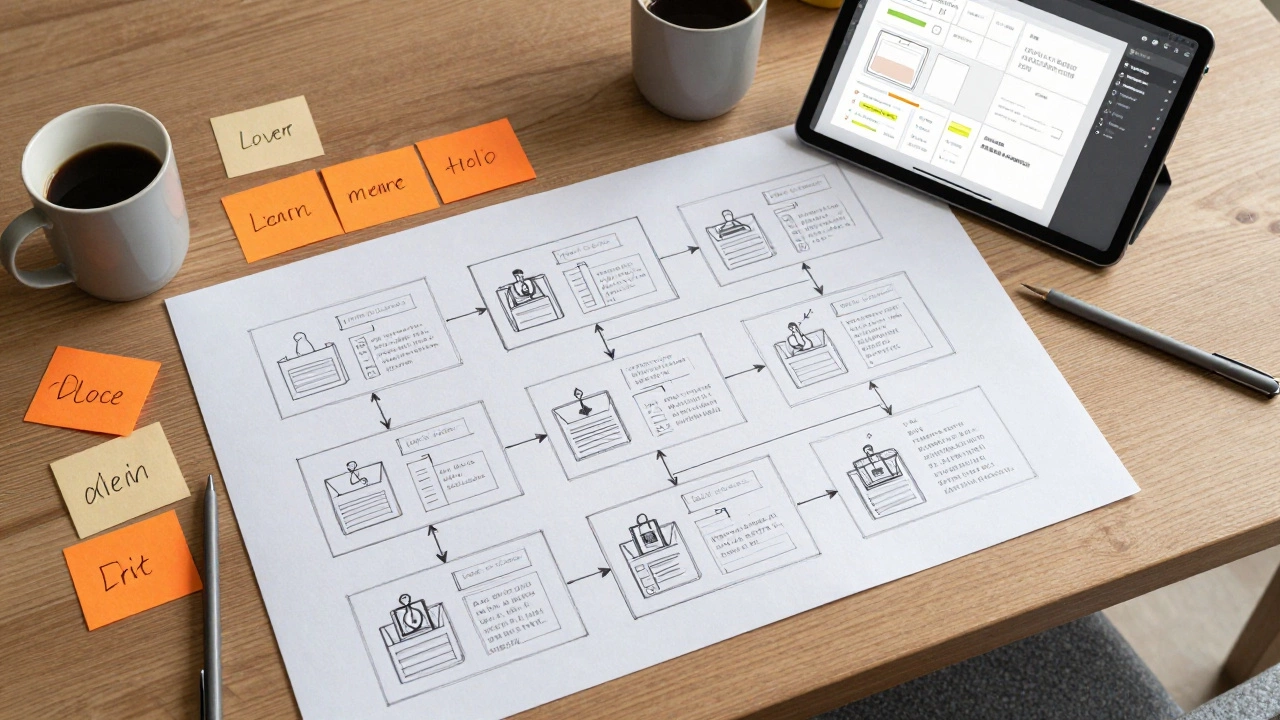
The core output here is the storyboard. This isn’t just a script; it’s a detailed map of every slide, interaction, and decision point. You outline the learning objectives using action verbs. Instead of saying “Understand customer service,” you write “Demonstrate empathy by resolving three simulated customer complaints.” This clarity ensures that every activity directly supports the goal.
You also decide on the format. Will you use scenario-based learning? Gamification? Microlearning modules? The choice depends on your analysis. If you’re teaching complex decision-making, branching scenarios work best. If you’re teaching simple compliance rules, short videos with quick quizzes are more efficient. At this stage, you also plan the assessments. How will you prove they learned something? Don’t just add a multiple-choice test at the end. Integrate knowledge checks throughout the journey to reinforce retention.
Phase 3: Development - Bringing the Blueprint to Life
This is where the magic happens. The Development phase is the creation of actual course assets, including graphics, videos, interactions, and programming. This is the most time-consuming stage, so staying organized is critical. You take the storyboard from the design phase and turn it into a functional product using authoring tools like Articulate Storyline, Adobe Captivate, or even PowerPoint with plugins.
During development, consistency is key. Use a style guide to ensure fonts, colors, and tone match your brand. If your company uses blue and white, don’t suddenly introduce neon green buttons. Visual clutter distracts learners. Keep the interface clean and intuitive. Navigation should be obvious-learners shouldn’t have to think about how to move to the next page.
You also handle media production. Record voiceovers, edit videos, and create graphics. If you’re using real people, schedule filming early. Technical issues always arise. Audio quality matters more than video quality. People will forgive grainy footage, but they will click away if the audio is muffled or has background noise. Invest in a decent microphone. Test all interactive elements thoroughly. Broken links or unresponsive buttons break immersion and frustrate users.
Phase 4: Implementation - Launching and Supporting Learners
Your course is built. Now comes the Implementation phase is the deployment of the course to learners via a Learning Management System (LMS) and providing necessary support. This isn’t just hitting “publish.” It’s about ensuring learners can actually access and complete the material without technical hurdles.
Upload your course to your LMS. Configure the settings correctly. Does the course require sequential completion? Should certificates be issued automatically? Set up user groups and permissions. Communicate clearly with learners. Send an email explaining what the course is, why it matters, and how long it takes. Provide a link to technical support if they get stuck. A confused learner is a dropped learner.
Consider a pilot launch. Release the course to a small group first. Watch how they interact with it. Do they get stuck on a particular question? Do they skip certain sections? Their behavior gives you immediate feedback before you roll it out to thousands of users. Fix any glaring issues based on this initial feedback. This soft launch reduces risk and builds confidence in the final product.
Phase 5: Evaluation - Measuring Impact and Improving
The job isn’t done when the last student finishes. The Evaluation phase is the process of assessing the effectiveness of the course and gathering data for future improvements. This is where you prove the value of your work. Did the course achieve the goals set in the analysis phase?
Use Kirkpatrick’s Four Levels of Evaluation. Level 1 measures reaction: Did learners enjoy it? Check survey responses. Level 2 measures learning: Did they gain knowledge? Look at quiz scores. Level 3 measures behavior: Are they applying what they learned on the job? Interview managers or observe performance. Level 4 measures results: Did it impact business metrics? Compare safety incident rates or sales figures before and after the training.
Analyze the data. If completion rates are low, maybe the course is too long. If quiz scores are poor, perhaps the explanations were unclear. Use this insight to update the content. eLearning is never truly finished. Markets change, technologies evolve, and new information emerges. Regularly review and refresh your courses to keep them relevant. Continuous improvement is the hallmark of professional instructional design.
| Phase | Primary Goal | Key Deliverables | Common Pitfalls |
|---|---|---|---|
| Analysis | Identify needs & audience | Needs assessment report, learner personas | Assuming instead of researching |
| Design | Create blueprint | Storyboard, learning objectives, prototype | Vague objectives, ignoring accessibility |
| Development | Build content | Final course files, media assets | Poor audio quality, inconsistent branding |
| Implementation | Deploy & support | LMS configuration, launch communication | Technical glitches, lack of user guidance |
| Evaluation | Measure impact | Analytics reports, feedback surveys | Ignoring data, failing to iterate |

Why the ADDIE Model Still Matters in 2026
You might hear about newer models like SAM (Successive Approximation Model) or Agile learning design. These approaches emphasize rapid prototyping and iteration. They are valuable, especially in fast-paced tech environments. However, they still rely on the same fundamental principles as the classic ADDIE model is a systematic instructional design framework consisting of Analysis, Design, Development, Implementation, and Evaluation.
Agile doesn’t eliminate analysis; it just makes it continuous. It doesn’t remove design; it makes it iterative. Understanding the five phases gives you a vocabulary and a mental framework to discuss project requirements with stakeholders. Whether you’re working in a corporate training department, an educational institution, or a freelance capacity, knowing these phases helps you anticipate problems before they occur.
In 2026, with AI tools generating content instantly, the human element of instructional design is more important than ever. AI can write a quiz question, but it can’t deeply understand the cultural nuances of your workforce. It can generate a video script, but it can’t empathize with a learner’s frustration. The five phases ensure that technology serves pedagogy, not the other way around.
Practical Tips for Each Phase
To help you apply this knowledge, here are some actionable tips:
- Analysis: Conduct interviews, not just surveys. Surveys tell you what people say; interviews reveal why they behave a certain way. Listen for gaps between stated needs and actual behaviors.
- Design: Write objectives first. Every slide and interaction must tie back to an objective. If it doesn’t, cut it. Less is often more in eLearning.
- Development: Prototype early. Create a rough version of one module and test it with a few users. Fix major issues before building the rest. This saves weeks of rework.
- Implementation: Send reminder emails. Learners get busy. A gentle nudge halfway through the course can boost completion rates significantly.
- Evaluation: Ask for qualitative feedback. Numbers tell you what happened; comments tell you why. Read every piece of feedback, even the negative ones. They are goldmines for improvement.
Related Concepts in Instructional Design
Understanding the five phases connects you to broader concepts in the field. Learning Experience Design (LXD) is an approach that focuses on the emotional and motivational aspects of learning, going beyond traditional instructional design. While ADDIE structures the process, LXD enhances the journey. It incorporates psychology and game design principles to make learning addictive rather than obligatory.
Another related concept is Microlearning is delivering content in small, focused bursts, typically 3-7 minutes long, to improve retention and reduce cognitive load. This fits naturally into the development phase. Instead of one hour-long module, break it into ten five-minute chunks. This aligns with how our brains process information best.
Accessibility is also crucial. Ensure your courses comply with WCAG (Web Content Accessibility Guidelines) standards. Include captions for videos, alt text for images, and keyboard navigation. This isn’t just legal compliance; it’s ethical design. Everyone deserves equal access to learning opportunities.
What is the difference between ADDIE and Agile in eLearning?
ADDIE is a linear model where each phase follows the previous one sequentially. Agile is iterative, allowing for continuous feedback and changes throughout the process. Agile is better for projects with changing requirements, while ADDIE provides structure for stable, well-defined projects.
How long does each phase of eLearning typically take?
It varies greatly depending on complexity. A simple compliance course might take two weeks total, with one week for design/development. A complex simulation could take months. Generally, development takes the longest, followed by design. Analysis and evaluation are often shorter but critically important.
Can I skip the analysis phase to save time?
Technically yes, but it’s risky. Skipping analysis often leads to creating content that doesn’t solve the actual problem. You might spend months building a course that no one uses or learns from. Investing time upfront saves much more time downstream by avoiding rework.
What tools are best for developing eLearning courses?
Popular authoring tools include Articulate Storyline, Adobe Captivate, and iSpring Suite. For simpler courses, PowerPoint with plugins like iSpring Free works well. For advanced interactivity and custom coding, HTML5/CSS/JavaScript frameworks offer maximum flexibility but require technical skills.
How do I measure the ROI of eLearning?
Calculate ROI by comparing the monetary value of benefits gained (e.g., increased sales, reduced errors) against the cost of developing and delivering the course. Formula: (Benefits - Costs) / Costs x 100. Focus on hard metrics like productivity gains or cost savings rather than soft metrics like satisfaction scores.